e-invoices
The application supports:
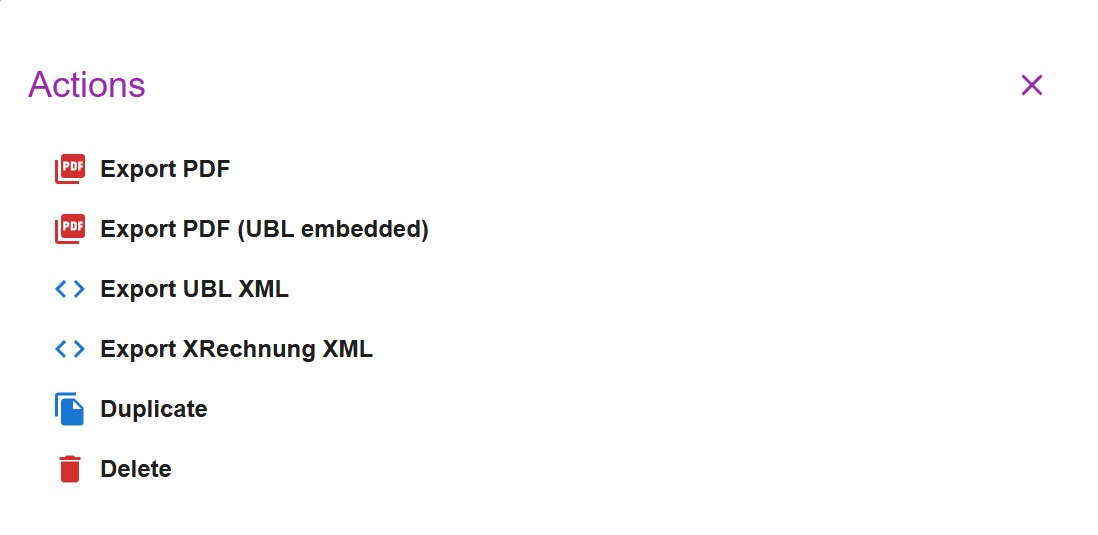
- UBL Peppol XML: you can download the XML embedded with the PDF, or as a standalone XML file. This feature is enabled by default and can be toggled in the Settings page.
- XRechnung (UBL 2.1) XML: you can download the standalone XML file. This feature is enabled by default and can be toggled in the Settings page.
To generate valid UBL/Peppol XML or XRechnung (UBL 2.1) XML, additional fields are available on Businesses and Clients. These fields must be properly filled to produce compliant invoices.
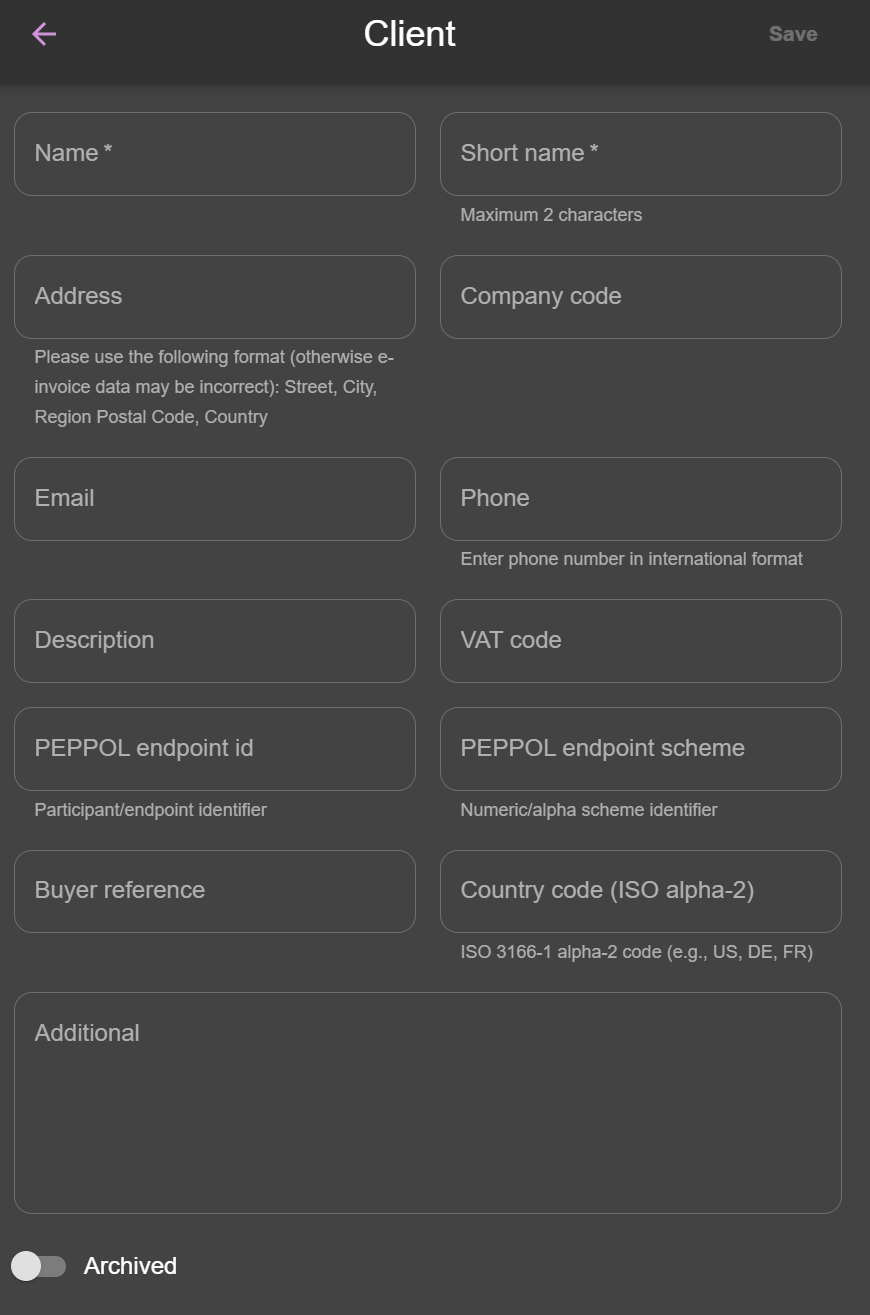
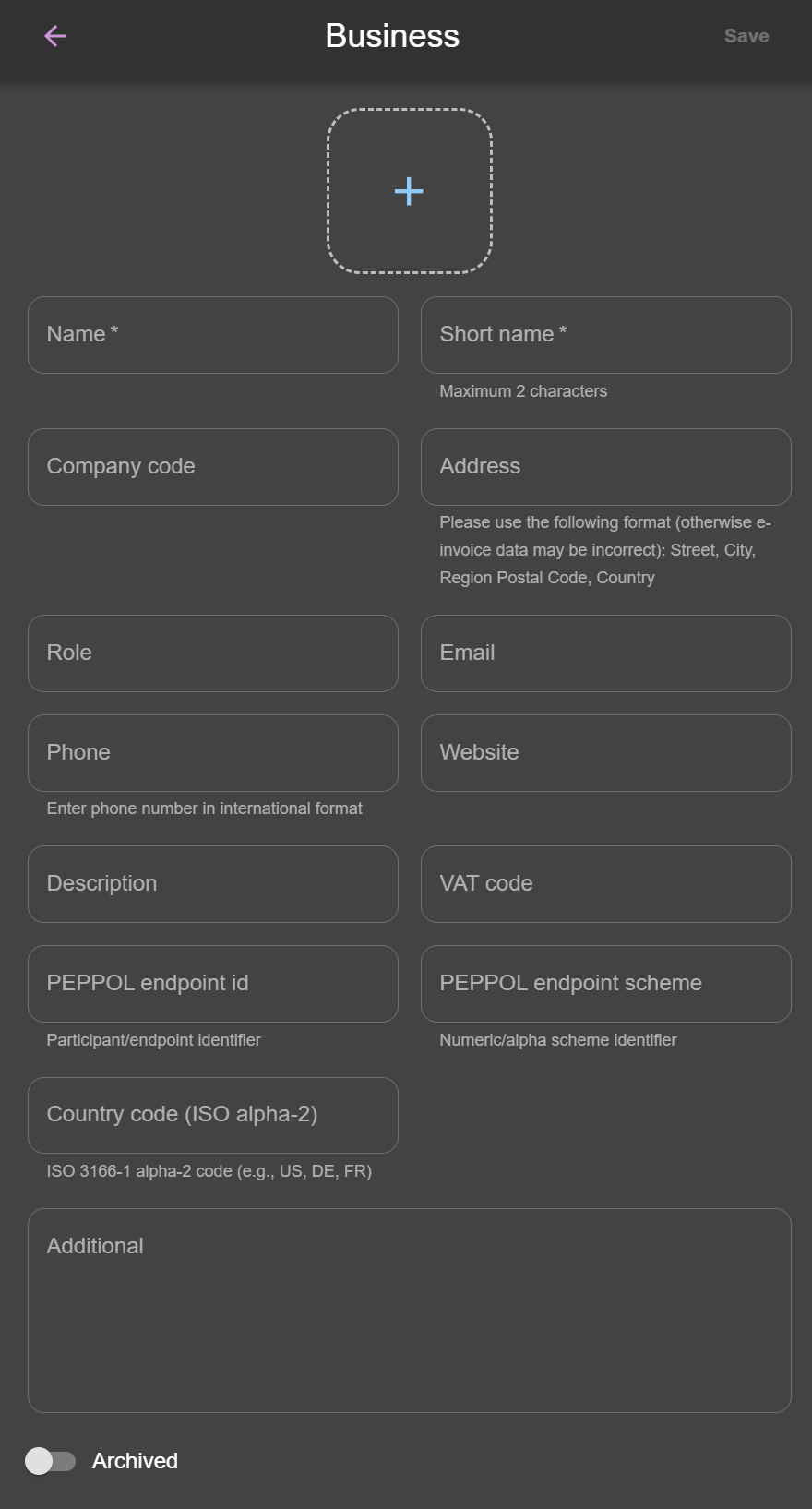
UBL XML / XRechnung XML may fail validation if data is misconfigured
The application only checks that required fields are present. It does not guarantee that all values conform to UBL/Peppol or XRechnung (UBL 2.1) standards.
For example:
- Tax names must match supported values (e.g., VAT). Arbitrary text will cause validation errors.
- Currency codes must be standard ISO codes (e.g., EUR, USD). Random text will fail validation.
Export behavior:
- A regular PDF can be exported at any time.
- The XML file and the PDF with embedded XML reflect only saved data.
- You cannot export XML while creating a new invoice until it has been saved.
- When editing an invoice, make sure to save changes before exporting.
Use a UBL Peppol XML validator (e.g., https://peppolvalidator.com/) to ensure compliance before sending. Use a XRechnung (UBL 2.1) XML validator (e.g., https://validator.invoice-portal.de/) to ensure compliance before sending.